
PROJECT 05XE

XE.

A ride-hailing and designated-driver platform — a Flutter driver app and a React Native customer app, both owned end-to-end from architecture to store release.

at NEWDEVowned both appsflutter + react nativelive on Google Play
XE app iconXE app icon
01overview

XE is a ride-hailing and designated-driver platform — two apps, one for drivers and one for riders. I owned both end-to-end: architecture, state, feature delivery, and store publishing.

The driver app is a Flutter build carrying the whole ride pipeline — driver lifecycle, WebSocket trip dispatch, live routing, and a multi-stage fare flow. The customer app mirrors the rider side on a modern React Native stack.

A driver app can't afford to drop a trip because the network blinked. Most of the engineering went into resilience — reconnect, heartbeat failover, duplicate filtering, and a background mode that survives the OS trying to kill it.

02architecture

Two apps, two frameworks — one engineer across both.

The driver side carries the real-time pipeline, so it's a Flutter build I could push hard on. The customer side mirrors the rider flow on React Native. Both apps talk to the same dispatch backend.

tier 01
apps
dart · android
Flutter driver app

driver lifecycle · WebSocket trip dispatch · polyline routing · multi-stage fare flow

roleowned end-to-end
10× reconnect90s heartbeatforeground service
ts · react native + expo
React Native customer app

rider flow · Expo Router · Redux Toolkit + Saga · NativeWind

roleowned end-to-end
Expo RouterRedux SagaNativeWind
WebSocket · REST
tier 02
backend
WS
dispatch service
Trip dispatch backend

trip matching · WebSocket dispatch · fare + voucher data

roleAPI touchpoints
03engineering

Four pieces I'd hold up as proof.

The hard part of a ride-hailing app isn't the happy path — it's everything the network and the OS do to break it. These four are where that work went.

A · realtime
10×reconnect attempts on trip dispatch

A trip dispatch that doesn't fall off the network.

Trip dispatch runs over a WebSocket with up to 10 reconnect attempts, a 90-second heartbeat failover, and duplicate filtering — so a flaky signal never costs a driver a fare, and never shows the same request twice.

reconnect
10×
heartbeat
90s
filter
dedupe
B · resilience
OS-proofbackground-resilient driver mode

A driver mode the OS can't quietly kill.

Drivers leave the app backgrounded for hours. A foreground service with a hidden notification, plus wake and WiFi locks and FCM wake-ups, keeps the driver online when Android would otherwise reclaim the process.

service
foreground
locks
wake + WiFi
wakeup
FCM
C · routing
3-stagefare flow · estimated → actual

Live routing and a fare that adds up.

Dynamic polyline routing from pickup to dropoff with an auto-fit camera, and a multi-stage fare flow — estimated, then final, then actual — that folds in vouchers, VAT, and waiting fees. The number a rider sees has to survive every stage.

routing
polyline
camera
auto-fit
fare
3-stage
D · cross-platform
2 stacksFlutter driver · React Native customer

The same product, in two frameworks.

The driver app is Flutter; the customer app mirrors the rider flow on React Native with Expo Router, Redux Toolkit and Saga, and NativeWind. Owning both meant keeping one product coherent across two ecosystems — plus OTP, image-based KYC, and a native-layer Android namespace patch.

driver
Flutter
customer
React Native
KYC
image-based
integrated & in production
WebSocketFCMGoogle Maps SDKExpo RouterRedux SagaNativeWindSMS-autofill OTP
04impact

The platform, in numbers.

2
apps owned
driver + customer
10K+
rides / day
NEWDEV case study
<500ms
match latency
NEWDEV case study
99.99%
SLA
NEWDEV case study
5 wk
to ship
NEWDEV case study
10×
reconnect
trip dispatch
90s
heartbeat
failover window
1,000+
downloads
across both stores

Platform figures — rides/day, match latency, SLA, and the five-week timeline — are from NEWDEV's published case study for XE. Reconnect, heartbeat, and download figures are from the apps I built. Snapshot taken May 2026.

05screens

Five surfaces from the XE app.

captured from the live app
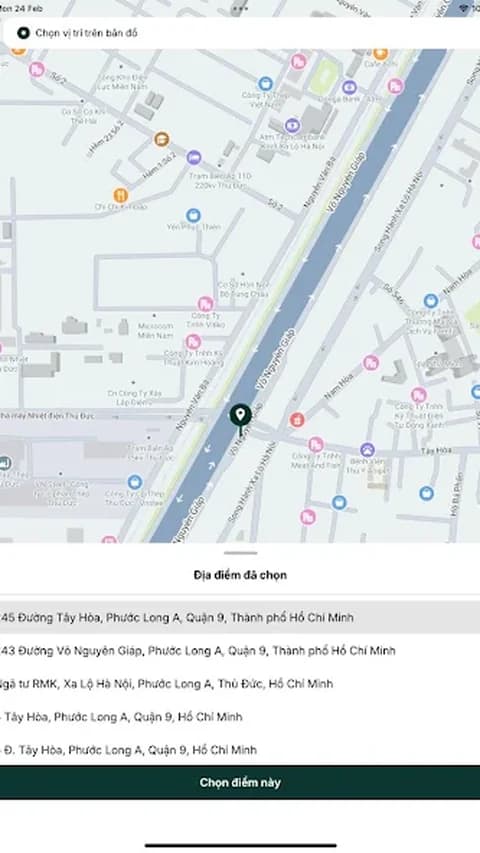
XE — Set location
01Set location
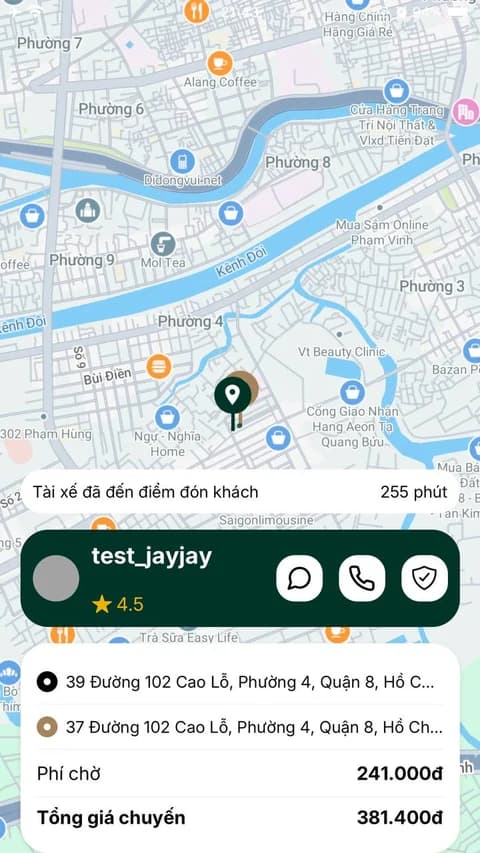
XE — At pickup
02At pickup
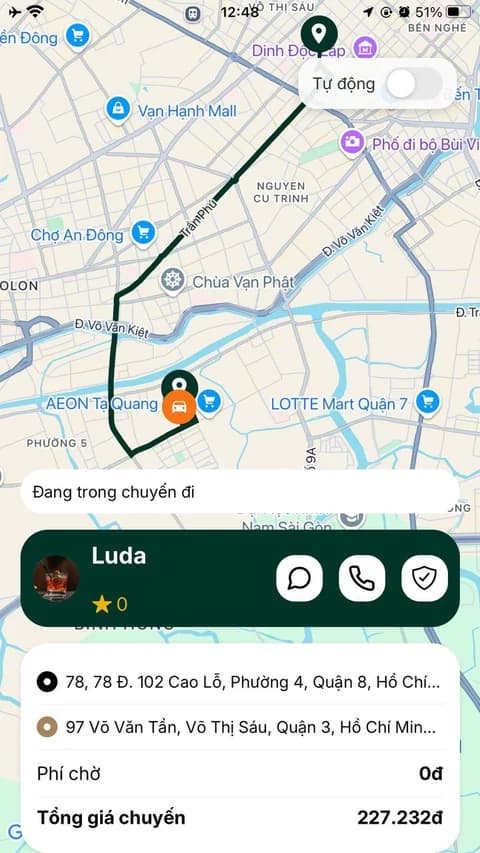
XE — On trip
03On trip
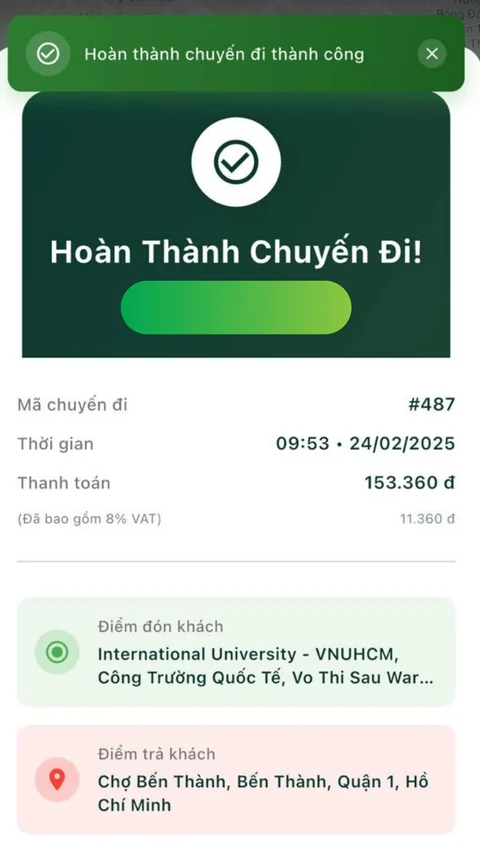
XE — Trip complete
04Trip complete
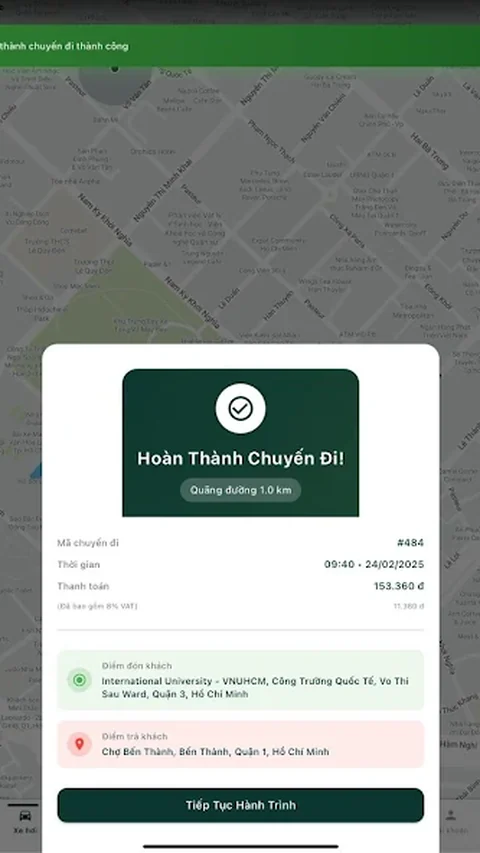
XE — Trip summary
05Trip summary